

-
AuthorPosts
-
February 28, 2026 at 4:57 am #1495594
I can’t figure this out. I can do a text link, like this: Get Free Estimate
But how do I add this for a Button?
Thanks for helping on this!
February 28, 2026 at 5:01 am #1495595and I see this: Get Free Estimate
February 28, 2026 at 5:10 am #1495596I also tried just adding to html but the button it creates does not look right: Learn more
here is what it looks like: https://drive.google.com/file/d/18aUgpmt9iXr7EOBquraz5Se_6WCBKiOO/view?usp=sharing
Let me know what I can do. thanks!
February 28, 2026 at 11:40 am #1495599where do you want to use it? as standalone text. or inside a text-block?
you can style a button this way (i used x-large button for that) – and even the padding you can have on button element itself – including border-width and border-radius.
Only css is needed if you like to have a min-width for that button.https://webers-testseite.de/bemo-button/
on the right – that is your screenshot image.
February 28, 2026 at 3:47 pm #1495602Hi,
I see that your button is in a text block, the reason that the text is not centered is because it has a
BR before the text, try viewing in the plain text tab of the element and remove the BR
If you can’t find it try this css:.avia_textblock .avia-slideshow-button br { display: none; }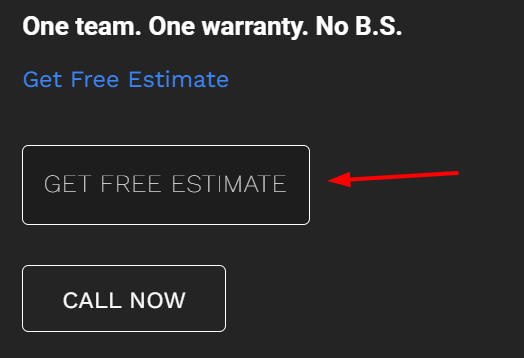
Best regards,
MikeFebruary 28, 2026 at 7:13 pm #1495617But can I open the Elfsight side form pop from the Button section? see attached button section: https://drive.google.com/file/d/1BjqTEyGoc8h73bKyccKxcQMOrWOp3VSA/view?usp=sharing
If not, what is the html or code to create a similar button that does this?
Thanks
From before, I added this html, but it doesnt look good using this:
Get Free Estimate
February 28, 2026 at 7:28 pm #1495618And when I click on the elfsight link, it seem to send me to the top of the Home page, instead of the section I was in when I click the link.
February 28, 2026 at 9:48 pm #1495626Hi,
I do not have experience with elfsight, but from examining your button I can tell that there is no direct link to your side form popout, it works via the data-elfsight-show-form attribute:
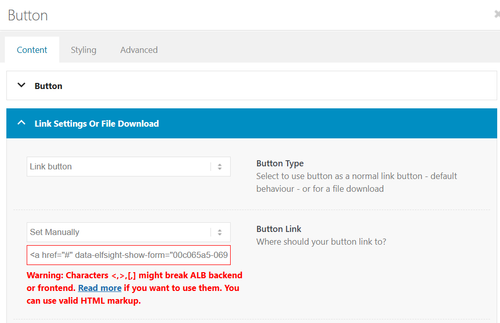
There is not a built-in way to add a data attribute to a button.
So I created a second button for you with your link snippet and the Enfold classes so the style is the same. Please check.Best regards,
MikeFebruary 28, 2026 at 10:28 pm #1495630This will work!
How can I make the font size larger?
February 28, 2026 at 10:49 pm #1495631Hi,
Try this css:.avia-button.avia-size-large.av-1b88t-1848646851a5a8989084337c098e76b2 { font-size: 20px; }Best regards,
MikeFebruary 28, 2026 at 11:21 pm #1495632Yes! Last thing, how do I “center” the button? I need some left and some centered.
Tried to update this to “center”, but it didn’t work
<div class=”avia-button-wrap”>Get a Free Estimate</div>
March 1, 2026 at 2:30 am #1495633Please let me know on this. I’ve tried everything to Center this button.
Thanks!
March 1, 2026 at 1:49 pm #1495634Hi,
I added the class avia-button-center to it to center it:
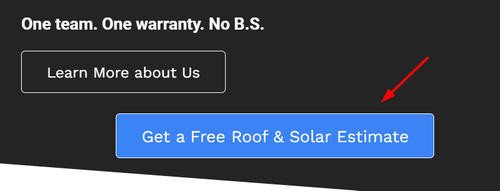
note that it is centered within the column, if you want it centered on the page, you will need to remove it from the column:
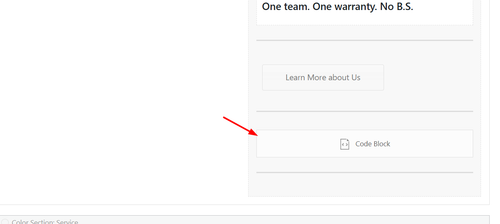
If you want the button above it, Learn More about Us, centered use the option in the element:
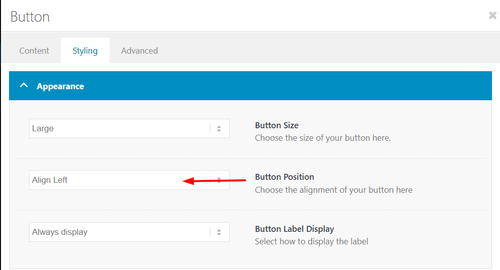
Best regards,
MikeMarch 2, 2026 at 5:45 am #1495650Thanks!!
Any options to have the button color option for “Light Transparency” and “Dark Transparency”?
you are awesome!
March 2, 2026 at 9:54 pm #1495674 -
AuthorPosts


- You must be logged in to reply to this topic.