

-
AuthorPosts
-
March 8, 2022 at 11:28 am #1343594
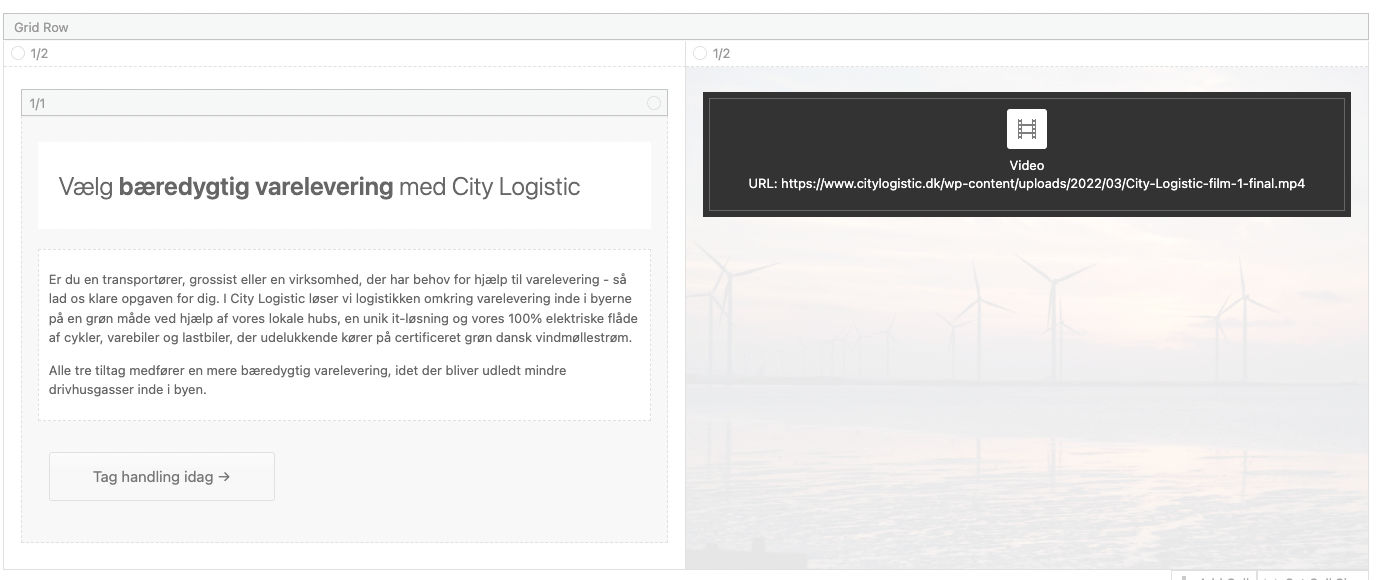
We use grid row and video element with the Privacy settings “show in light box – loads after user interaction” And then the play icon overlaps everything.
What can be the reason and how to fix this?
March 8, 2022 at 1:46 pm #1343622Hey BenjaminSpeedtsberg,
I’m not sure I understand or can see the problem on your site. Could you post a screenshot highlighting it, and let us know which browser you are using please?
Best regards,
RikardMarch 8, 2022 at 2:07 pm #1343629Hi again, we were able to fix it.
The play Icon was automatically styled with z-index: 1000; We customized it to z-index: 0 !important;
Before:
#top .avia-video .av-click-to-play-overlay {
z-index: 1000;
}After:
#top .avia-video .av-click-to-play-overlay {
z-index: 0 !important;
}I think, that this is a bug in the theme. Got the same issue on another website with Enfold. (both newest version)
March 8, 2022 at 4:56 pm #1343687Hi,
Glad you were able to fix it!
I tried to reproduce the issue on my local installation however it works fine on my end with default z-index value of 1000 – https://imgur.com/a/eDYv3cz. Is it the same when you switch to Enfold parent theme?
Best regards,
YigitMarch 10, 2022 at 9:07 am #1343968I haven’t tried that. but should it only work with the parent theme? :-)
you can see the set up here: https://snipboard.io/KJFz92.jpg
We don’t use a thumbnail and we styled the video background transparent. Maybe that creates the problem
-
This reply was modified 4 years ago by
BenjaminSpeedtsberg.
March 10, 2022 at 2:24 pm #1344002 -
This reply was modified 4 years ago by
-
AuthorPosts


- You must be logged in to reply to this topic.